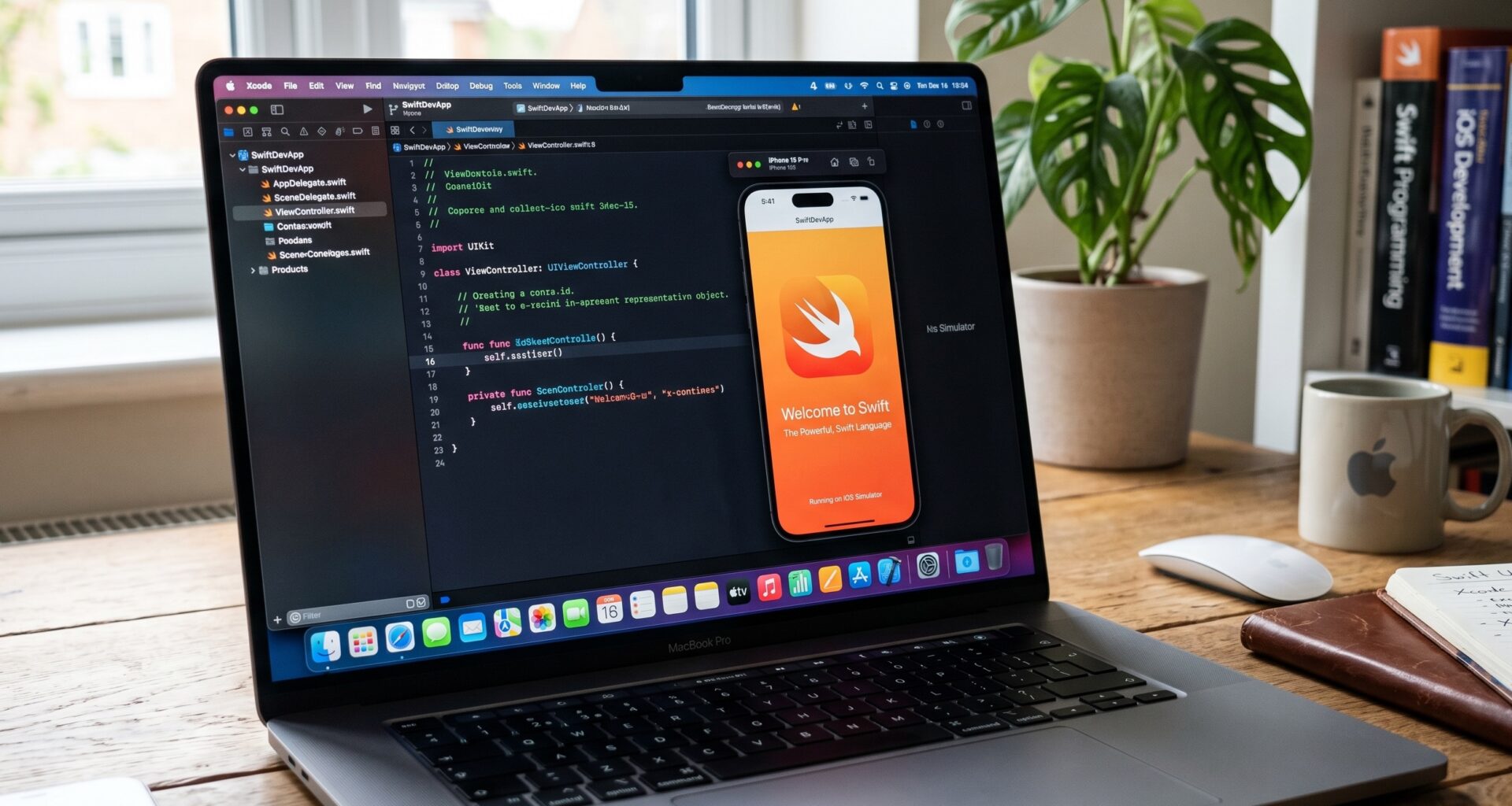

If you have started your journey as an iOS Developer, it is very likely that you have come across one of the most fundamental and sometimes intimidating concepts of Swift programming: Optionals. Whether you are building the next big iPhone app, designing a productivity tool for macOS, or creating a fitness experience for watchOS using Xcode, mastering how to handle the absence of values is crucial.
In this article, which serves as a comprehensive tutorial, we will thoroughly learn how to unwrap optionals in Swift. We will explore everything from the basics to the most advanced techniques used in SwiftUI, ensuring your code is safe, clean, and crash-free.
What are Optionals in Swift Programming?
Before diving into how to unwrap optionals in Swift, we need to understand exactly what they are. In many programming languages (like Objective-C, Java, or C++), when a variable has no value, it is assigned null or nil. The problem is that if you try to access a variable that is null, your application will inevitably crash (the dreaded Null Pointer Exception).
Apple designed Swift with safety as its top priority. Therefore, they introduced Optionals. An Optional in Swift is a data type that represents two possibilities:
- There is a value, and you can unwrap it to use it.
- There is no value at all (it is
nil).
Under the hood, an Optional is simply a generic Enum with two cases: .none and .some(Wrapped).
To declare an Optional in Xcode, you simply add a question mark (?) to the data type:
var username: String? // Can hold a String, or can be nil
var age: Int? // Can hold an Int, or can be nil
As an iOS Developer, you must know that you cannot use an Optional directly in operations that require the underlying value. You need to “open the box” safely. This is called Unwrapping.
The Danger of Force Unwrapping (The Exclamation Mark)
The fastest, but also the most dangerous way to extract the value of an Optional is through Force Unwrapping. It is done by placing an exclamation mark (!) after the variable name.
var message: String? = "Hello, SwiftUI world"
print(message!) // Prints: Hello, SwiftUI world
Why should you avoid it?
By using !, you are telling Xcode and the Swift compiler: “I am 100% sure this variable has a value. If I’m wrong, please crash the application immediately.”
Look at this example of what not to do in your Swift programming:
var name: String? = nil
// print(name!) // ⚠️ THIS WILL CAUSE A FATAL CRASH: Unexpectedly found nil
As a general rule for any iOS Developer: Avoid Force Unwrapping unless it is absolutely indispensable. There are much safer and more elegant ways to handle this in Swift.
1. Optional Binding: if let (The Safe Option)
The most common method to answer the question of how to unwrap optionals in Swift is by using Optional Binding. This technique allows you to check if the Optional contains a value, and if so, it extracts it into a new constant or temporary variable that is only available within that code block.
var favoriteMovie: String? = "Inception"

if let safeMovie = favoriteMovie {
    // This code block only executes if favoriteMovie is NOT nil
    print("My favorite movie is \(safeMovie)")
} else {
    // This block executes if favoriteMovie IS nil
    print("I don't have a favorite movie registered.")
}
Optional Binding with Multiple Variables
One of the marvels of Swift is that you can unwrap multiple optionals on a single line. This keeps your code in Xcode clean and prevents excessive nesting (the infamous “Pyramid of Doom”).
var firstName: String? = "Steve"
var lastName: String? = "Jobs"
var age: Int? = 56

if let safeFirstName = firstName, let safeLastName = lastName, let safeAge = age {
    print("\(safeFirstName) \(safeLastName) lived to be \(safeAge) years old.")
} else {
    print("Profile data is missing.")
}
If any of these variables is nil, the else block will execute immediately.
2. Guard Statement: guard let (The Scope Guardian)
Another indispensable tool for an iOS Developer is the guard let. Just like if let, it is used to extract values safely. However, its primary purpose is the Early Return.
The guard let checks if there is a value. If it is nil, it forces you to exit the current function, loop, or context (using return, break, or continue). If there is a value, the unwrapped constant becomes available for the rest of the code block, preventing indentation.
func greetUser(optionalName: String?) {
    guard let safeName = optionalName else {
        print("Error: No name was provided.")
        return // You must explicitly exit the function
    }

    // From here on, 'safeName' is unwrapped and ready to use
    print("Welcome to our iOS app, \(safeName)!")
    print("We hope you enjoy learning SwiftUI.")
}

greetUser(optionalName: "Ada Lovelace")
greetUser(optionalName: nil)
When to use guard let vs if let?
- Use
if letif the absence of a value is just a normal alternative path in your logic (e.g., showing a “Loading” state vs. “Data”). - Use
guard letif the absence of a value means it is impossible or useless to continue with the rest of the function (e.g., if login credentials are missing).
3. Nil-Coalescing Operator: ?? (The Default Value)
The Nil-Coalescing operator (??) is undoubtedly one of the favorite features for developers in Swift programming. It allows you to safely unwrap an Optional and, at the same time, provide a default (fallback) value in case the Optional is nil.
The syntax is incredibly concise:
var userChosenColor: String? = nil
let backgroundColor = userChosenColor ?? "White"

print("The background color will be: \(backgroundColor)")
// Since userChosenColor is nil, it prints "White"
This is extremely useful when building user interfaces in SwiftUI, where you often need to show default text if the user hasn’t filled out a data field in the app yet.
var userBio: String? = "I love developing for watchOS."

// SwiftUI expects a String, not a String?
Text(userBio ?? "The user hasn't written a bio yet.")
4. Optional Chaining: ?. (The Safe Chain)
As your architecture becomes more complex, you will encounter optional properties that, in turn, contain other optional properties. To query methods, properties, or subscripts of an Optional without having to manually unwrap each step, Swift programming offers Optional Chaining.
We use a question mark ? after the optional value before calling the property.
class Residence {
    var numberOfRooms = 1
}

class Person {
    var residence: Residence? // Optional, someone might not have a registered residence
}

let john = Person()
// john.residence is currently nil

// Using Optional Chaining
let rooms = john.residence?.numberOfRooms
In this case, the rooms variable will be of type Int?. If john.residence is nil, the entire chain fails silently and elegantly, assigning nil to rooms, and the iOS app continues running without crashing. If the residence exists, it will return the number of rooms wrapped in an Optional.
You can combine Optional Chaining with Nil-Coalescing to get robust results in a single line in Xcode:
let finalNumber = john.residence?.numberOfRooms ?? 0
print("John has \(finalNumber) rooms.")
5. Implicitly Unwrapped Optionals: ! in Declaration
We mentioned earlier that the exclamation mark should be avoided. However, there is a specific case where you will see it often, especially if you have worked with UIKit before moving to SwiftUI: Implicitly Unwrapped Optionals.
They are declared by placing the ! on the data type, not at the end of the variable when using it:
var titleLabel: String!
What does this mean? It is a pure Optional under the hood (it starts as nil). But you are promising Swift that, after its initial setup, this variable will always have a value. Therefore, the compiler will not force you to manually unwrap it every time you use it.
As a modern iOS Developer focused on SwiftUI, you will rarely need to create these yourself. They were predominantly used to connect @IBOutlets from the Xcode Storyboard in UIKit, since the connection occurred milliseconds after the class initialization.
Integrating Optionals in SwiftUI, iOS, macOS, and watchOS
One of the great benefits of learning how to unwrap optionals in Swift is that the knowledge is universal across all Apple ecosystems. The same pure code you use for iOS works identically when compiling for macOS or watchOS in Xcode.
However, when we reach the user interface layer with SwiftUI, the framework has specific behaviors and expectations about how it handles the absence of data.
Optionals and the Text() view
If you try to pass an Optional directly to a Text in SwiftUI, Xcode will show a compilation error. Views need concrete data, not “maybe data”.
import SwiftUI

struct ProfileView: View {
    var name: String?

    var body: some View {
        VStack {
            // ERROR: Cannot convert value of type 'String?' to expected argument type 'String'
            // Text(name)

            // SOLUTION 1: Nil-Coalescing
            Text(name ?? "Anonymous User")
                .font(.largeTitle)

            // SOLUTION 2: Conditional Optional Binding to render the view
            if let safeName = name {
                Text(safeName)
                    .foregroundColor(.blue)
            } else {
                Text("Name not found")
                    .foregroundColor(.red)
            }
        }
    }
}
“Solution 2” is an extremely powerful and common pattern in SwiftUI. It allows you to completely change the view’s structure on an iPhone or Apple Watch screen depending on whether the data exists or not, providing a much more polished user experience (UX).
Optionals in State (@State and Binding)
As an iOS Developer, you will often rely on network calls (REST APIs) that take time to respond. During that time, your data models are usually in a nil state.
struct Task: Identifiable {
    let id = UUID()
    let title: String
}

struct TaskListView: View {
    // We start with no data (nil)
    @State private var pendingTasks: [Task]? = nil

    var body: some View {
        NavigationView {
            Group {
                if let tasks = pendingTasks {
                    // If there are tasks, we show the list
                    List(tasks) { task in
                        Text(task.title)
                    }
                } else {
                    // If it is nil, we are loading
                    ProgressView("Loading tasks for watchOS/iOS...")
                }
            }
            .navigationTitle("My Tasks")
            .onAppear {
                fetchNetworkData()
            }
        }
    }

    func fetchNetworkData() {
        // We simulate a 2-second network delay
        DispatchQueue.main.asyncAfter(deadline: .now() + 2) {
            pendingTasks = [
                Task(title: "Learn Swift"),
                Task(title: "Master Xcode"),
                Task(title: "Publish to the App Store")
            ]
        }
    }
}
This example illustrates how proper Optional handling governs the entire flow and rendering logic in modern applications.
Higher-Order Functions (Map and CompactMap)
As you advance in your Swift programming, you will start handling collections (Arrays, Dictionaries) that contain optionals.
Imagine you have a list of grades, but some tests were voided (represented as nil).
let grades: [Int?] = [85, 90, nil, 100, nil, 75]
If you want to calculate the average, you need to clean that list. Instead of doing manual for-loops and bindings, the Swift standard library offers you compactMap.
compactMap will iterate over the collection, unwrap all optionals, and discard all nil values, returning a non-optional Array.
let validGrades = grades.compactMap { $0 }
print(validGrades)
// Prints: [85, 90, 100, 75] (An Array of type [Int], without optionals)
This is an invaluable tool in any professional iOS Developer’s toolbelt, making the processing of JSON responses in Xcode a clean and declarative task.
Summary of Best Practices for the iOS Developer
To conclude this tutorial on how to unwrap optionals in Swift, here is a summary of the best practices you should internalize before opening your next project in Xcode:
- Flee from Force Unwrapping (
!): Imagine the exclamation mark means danger. Unless you are writing Unit Tests where you want the test to fail immediately if a value is missing, or initializing hard-coded URLs, avoid it in your production code. - Use
if letfor alternative flows: When it is perfectly fine for the value to beniland you have a valid UI response for it (like showing another message). - Use
guard letfor mandatory flows: When you need the value to exist for the rest of your function to make any sense. It will help keep your code hugging the left margin, avoiding deep indentation levels. - Leverage
??(Nil-Coalescing) for default values: It is the cleanest and most direct way to provide default data, especially vital when feeding SwiftUI views. - Utilize Optional Chaining (
?.) to safely navigate deep object hierarchies, preventing unexpected crashes in complex multi-platform applications.