



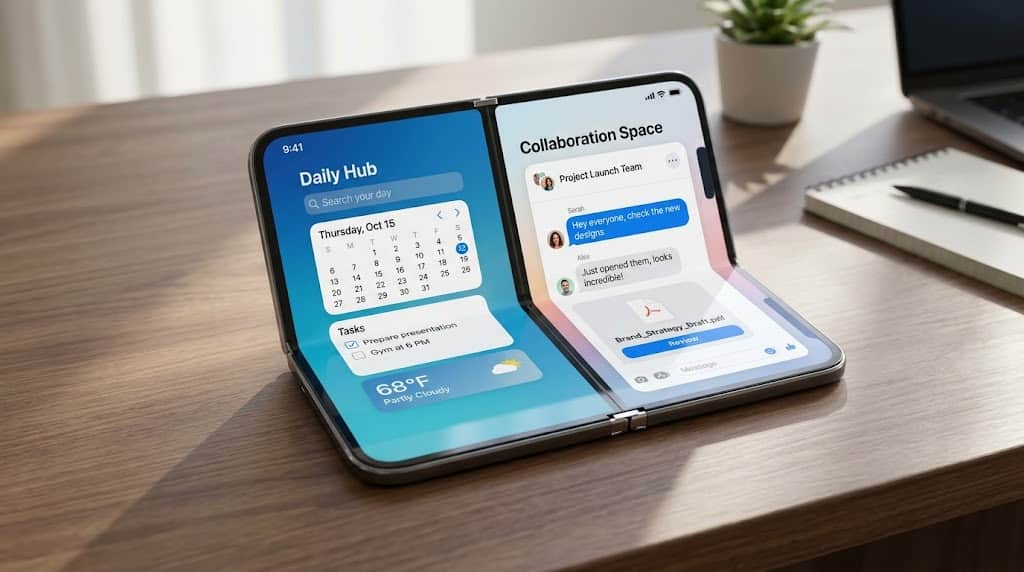

The arrival of the foldable iPhone Duo introduces new opportunities for mobile app development. With a larger inner display, an external screen, and new folding configurations, developers must rethink how their applications adapt to different screen sizes and layouts.
In this tutorial, we will explore how to build apps for iPhone Duo with SwiftUI, covering adaptive layouts, navigation, screen geometry, and the new APIs available in iOS 27.
1. Set Up Your Development Environment
Before developing for iPhone Duo, install Xcode 27 or a compatible newer version that includes the required iOS SDK. Use the iPhone Duo simulator to test your application across different screen configurations.
Start by creating a new iOS project using Swift and SwiftUI. SwiftUI’s declarative approach makes it easier to build interfaces that respond to changing available space.
The most important principle is to design for flexible layouts rather than assuming your application will always run on a conventional iPhone screen.
2. Build Responsive Layouts with SwiftUI
A foldable device can change the space available to an application when the user opens or closes it. Avoid hardcoded widths, fixed heights, and assumptions about screen dimensions.
Instead, use adaptive containers such as VStack, HStack, LazyVGrid, and ViewThatFits.
For example:
import SwiftUI

struct ContentView: View {
    var body: some View {
        ViewThatFits(in: .horizontal) {
            HStack {
                SidebarView()
                MainContentView()
            }

            VStack {
                SidebarView()
                MainContentView()
            }
        }
    }
}
This example attempts a horizontal layout first and switches to a vertical alternative when the available width cannot accommodate the first option.
Responsive design is essential for every iOS Developer building applications for multiple screen sizes.
3. Use ArrangementView for Adaptive Interfaces
One of the most interesting SwiftUI capabilities for iPhone Duo is ArrangementView, which helps organize two related views into an adaptive presentation.
For example, a productivity application could display a document list alongside an editor. A media application could show playback controls beside a playlist.
ArrangementView {
    PrimaryView()
} secondary: {
    SecondaryView()
}
.arrangementViewStyle(.split)
The .split style presents the primary and secondary content in separate regions. The .overlay style supports layered presentations, allowing the interface to adapt its composition to the available arrangement.
Choose the presentation that best suits your content. Do not split views simply because the device has a larger display; both regions should provide meaningful value to the user.
4. Adapt Navigation and Screen Geometry
Navigation should also respond to available space. Consider using NavigationStack for straightforward navigation and NavigationSplitView when a master-detail interface makes sense.
On a compact display, a list and its detail screen may work best as separate navigation destinations. On the expanded display, presenting related information together can improve productivity.
Avoid relying on UIScreen.main.bounds to calculate application layout. The screen dimensions do not necessarily represent the space available to your current view.
Use GeometryReader or onGeometryChange when you need information about the actual view size. Also respect safe areas around system controls, cameras, and other display constraints.
For iOS 27.1, explore the reserved-region APIs to understand how the hinge and other areas affect your interface. Design content so that important controls and text remain visible and accessible.
5. Handle the Fold and Changing Configurations
A successful iPhone Duo application should work when the device is folded, unfolded, or positioned at different angles.
Avoid using device orientation as the only signal for choosing a layout. Instead, respond to available space and the relevant SwiftUI environment values.
Where appropriate, use hinge-related APIs to respond to changes in the device’s folding state. Keep essential actions accessible and avoid placing critical content across a hinge or obstructed region.
Your interface should reorganize naturally without losing the user’s current task, navigation state, or entered information.
6. Test Your App in Xcode 27
Testing is a crucial part of how to build apps for iPhone Duo with SwiftUI.
Use the simulator in Xcode 27 to test both displays, different folding configurations, changing window sizes, and text accessibility settings.
Check for clipped content, overlapping controls, excessive empty space, and navigation problems. Test real interactions rather than relying exclusively on static previews.
Also verify that your application behaves correctly on conventional iPhones and iPads.
Conclusion
Building for the iPhone Duo requires a responsive design mindset. By combining Swift, SwiftUI, adaptive navigation, flexible sizing, and ArrangementView, developers can create applications that make better use of foldable displays.
For every iOS Developer, the goal is simple: deliver a consistent, accessible experience that adapts naturally to the user’s device and available screen space.