


macOS programming is the process of developing software applications specifically designed to run on Apple’s Mac computers. It allows developers to create powerful desktop applications that take advantage of macOS features, hardware capabilities, and the Apple ecosystem.
Unlike web development, where applications run inside a browser, macOS development focuses on building native applications that integrate directly with the operating system. These applications can access system resources, manage files, display notifications, interact with connected devices, and provide a seamless user experience.
For developers interested in the Apple ecosystem, learning macOS programming is an excellent opportunity to expand their skills and build professional software for millions of Mac users.
Apple provides several technologies and development tools that make this process accessible, even for beginners. The most important ones are Swift, Xcode, and SwiftUI.
Why Should You Learn macOS Programming?
Learning macOS programming offers several advantages, especially if you are interested in becoming an iOS Developer or building applications for Apple devices.
One of the biggest benefits is that Apple uses many of the same technologies across its platforms. For example, Swift is the primary programming language used to develop applications for macOS, iOS, iPadOS, watchOS, and other Apple platforms.
This means that once you understand the fundamentals of Swift, you can apply your knowledge to multiple types of applications.
Another advantage is the ability to create native desktop experiences. Mac applications can take advantage of powerful processors, large displays, multitasking capabilities, and advanced operating system features.
Additionally, macOS development provides opportunities to create productivity tools, business applications, creative software, utilities, and much more.
Swift: The Programming Language Behind macOS Apps
Swift is Apple’s modern programming language, designed to be fast, secure, and easy to learn.
It was introduced by Apple in 2014 and has become the foundation of modern Apple application development.
With Swift, developers can write clean and readable code while benefiting from features such as automatic memory management, strong typing, and error handling.
For example, you can use Swift to:
- Create application logic and business rules.
- Process and store information.
- Connect applications to APIs and online services.
- Manage files and system resources.
- Build interactive user experiences.
- Implement advanced application functionality.
If you are already an iOS Developer, learning Swift for macOS will feel familiar because the language and many development concepts are shared across both platforms.
Xcode: The Essential Development Environment
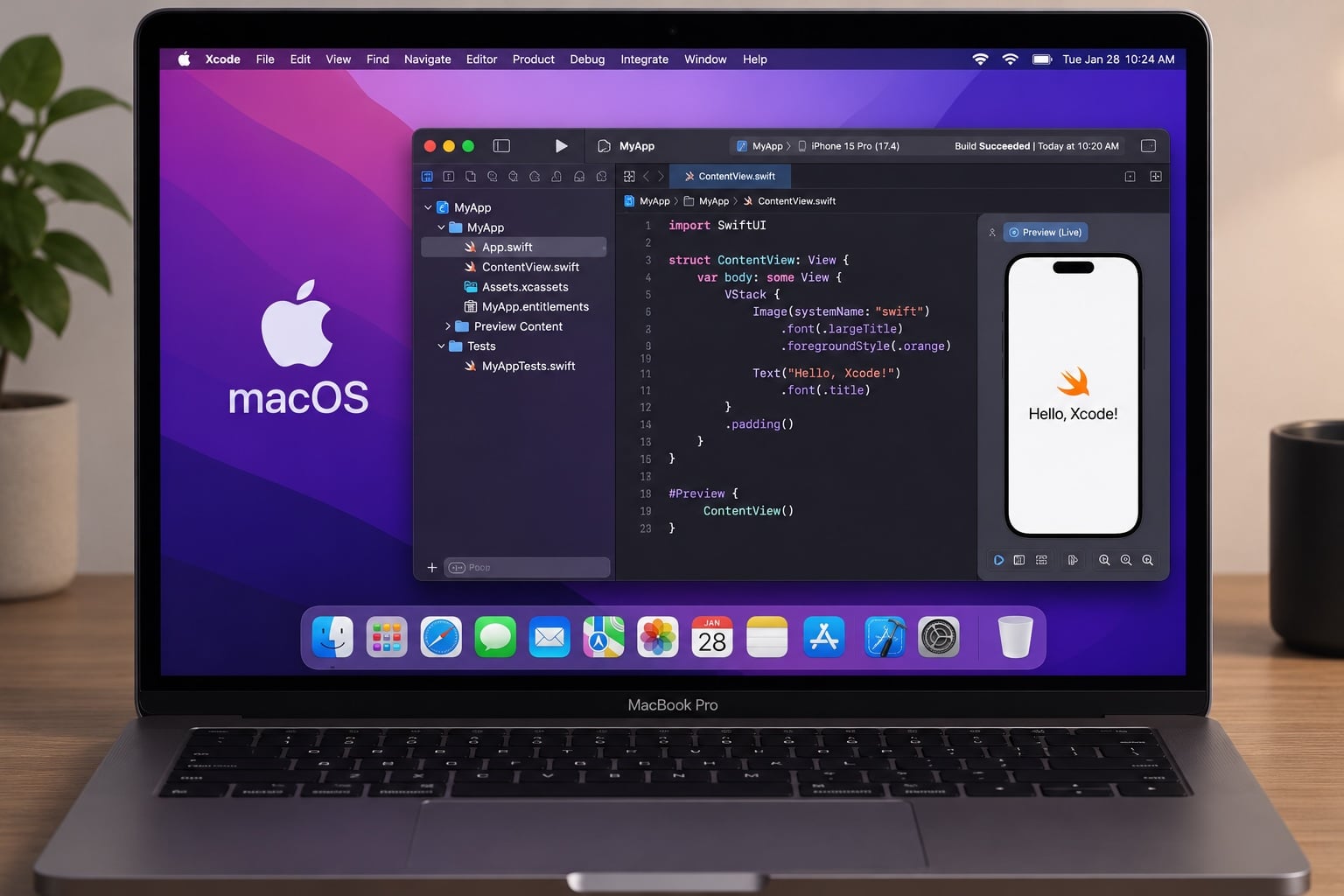
Xcode is Apple’s official integrated development environment (IDE) for building applications across its platforms.
It provides everything developers need to design, write, test, debug, and distribute macOS applications.
Some of its most important features include:
- Code Editor: Write and organize Swift code with syntax highlighting and intelligent suggestions.
- Interface Development: Design application interfaces using SwiftUI or other Apple frameworks.
- Simulator and Testing Tools: Test application behavior and identify potential problems.
- Debugger: Find errors and understand how your application executes.
- Performance Tools: Analyze memory usage, CPU performance, and application efficiency.
For beginners, Xcode is the ideal starting point because it combines most development tasks into a single environment.
You can download it for free from the Mac App Store and start creating your first macOS project.
SwiftUI: Building Modern macOS Interfaces
SwiftUI is Apple’s declarative framework for creating user interfaces across its ecosystem.
Instead of manually describing every interface update, developers define what the interface should look like based on the application’s current state.
For example, you can create buttons, navigation menus, lists, forms, windows, and interactive components using relatively little code.
One of the biggest advantages of SwiftUI is that it supports multiple Apple platforms. This allows developers to reuse interface components and development knowledge when building applications for macOS and iOS.
SwiftUI also integrates seamlessly with Xcode, providing live previews that help developers see how their interfaces look while writing code.
For anyone learning macOS programming, SwiftUI is an excellent technology to master.
What Can We Build with macOS Programming?
The possibilities of macOS programming are extensive. Developers can create applications for personal use, businesses, and professional markets.
Here are some examples:
1. Productivity Applications
You can build task managers, calendars, note-taking applications, project management tools, and personal organization software.
2. File Management Tools
macOS applications can interact with the file system to create file organizers, document converters, backup utilities, and advanced search tools.
3. Business Applications
Companies can use custom Mac software to manage customers, inventory, invoices, employees, and internal business processes.
4. Creative Applications
You can develop image editors, audio tools, video management applications, and other creative solutions.
5. Menu Bar Applications
macOS allows developers to create lightweight applications that live in the menu bar. These tools can provide quick access to system information, productivity features, timers, and other utilities.
6. AI-Powered Applications
Developers can integrate artificial intelligence services into Mac applications to create writing assistants, document analyzers, chat interfaces, and automation tools.
How to Start Learning macOS Programming
If you want to become proficient in macOS programming, follow these steps:
- Learn the fundamentals of Swift, including variables, functions, structures, classes, and protocols.
- Install Xcode on your Mac.
- Create your first macOS application project.
- Learn the basics of SwiftUI and build simple interfaces.
- Practice working with files, databases, APIs, and application state.
- Build small projects and gradually introduce more advanced functionality.
- Test your applications and learn how to distribute them.
The best way to improve is through practical experience. Start with a simple application, experiment with different features, and gradually increase the complexity of your projects.
Conclusion: Start Building Your Own Mac Applications
macOS programming opens the door to creating powerful native applications for Apple’s desktop ecosystem. With Swift, Xcode, and SwiftUI, developers have access to a complete set of tools for building modern, efficient, and visually appealing Mac software.
Whether you are an aspiring iOS Developer, an experienced programmer, or someone interested in learning a new technology, macOS development is a valuable skill to acquire.
By understanding the fundamentals and building real-world projects, you can turn your ideas into functional Mac applications and explore exciting opportunities within Apple’s development ecosystem.