


The world of application development for the Apple ecosystem has undergone colossal transformations in the last decade. For any modern iOS Developer, mastering the right tools and languages is not just an option, but an absolute necessity to create digital products that stand out in the App Store. Whether you are starting your journey in this fascinating universe or looking to consolidate your technological foundations, it is inevitable that you will come face to face with Apple’s fundamental pillars.
Today we are going to unravel exactly what these technologies are, how they complement each other, and we will analyze the Swift vs SwiftUI debate to understand how to structure your upcoming projects. All of this utilizing the powerful development environment that Apple provides us to bring our ideas to life.
What is Swift? The Engine of the Apple Ecosystem
To understand the current landscape, we must first go back to the foundations. Swift is the multi-paradigm, compiled, general-purpose programming language created by Apple in 2014. Its launch marked a before and after in the industry, as it arrived to gradually replace Objective-C, the veteran language that had powered Apple’s operating systems for decades.
Swift programming was designed with three fundamental goals in mind: safety, speed, and expressiveness. Unlike its predecessor, this modern language eliminates entire categories of common programming errors thanks to its safe design. Fundamental concepts like handling null values are integrated directly into the syntax in a way that forces the developer to deal with them safely before the application runs, thus avoiding unexpected crashes.
Furthermore, it is an incredibly fast language. It uses a high-performance compiler that transforms the text you write into optimized machine code to get the most out of the hardware of Apple devices, from the smallest processor in a smartwatch to the powerful chips in desktop computers. For an iOS Developer, mastering this language is the non-negotiable first step, as it is the language through which you will communicate with the operating system to process data, perform calculations, connect to the internet, and manage the internal logic of your application.
What is SwiftUI? The Declarative Interface Revolution
If the programming language is the brain and muscles of your application, the user interface is its face. This is where Apple’s second great revolution comes into play. Introduced in 2019, SwiftUI is an innovative framework designed to build user interfaces across all Apple platforms using a completely new approach.
Historically, developers had to deal with complex systems based on imperative interfaces and storyboards. This meant that the programmer had to write detailed step-by-step instructions on how and when the interface should change. SwiftUI radically changes this paradigm by introducing declarative programming.
Instead of explaining to the system how to do things step by step, with this new framework you simply declare whatyou want to appear on the screen based on the current state of the data. If the data changes, the interface updates automatically and smoothly without you having to manually intervene in every small visual detail. This feature drastically reduces the amount of bugs related to synchronization between the data and what the user sees on the screen.
Moreover, it is a truly cross-platform technology. The same knowledge you use to paint buttons, lists, and navigation on a mobile phone applies directly to computer screens and smartwatches, unifying the ecosystem like never before.
Swift vs SwiftUI: Understanding the Fundamental Differences
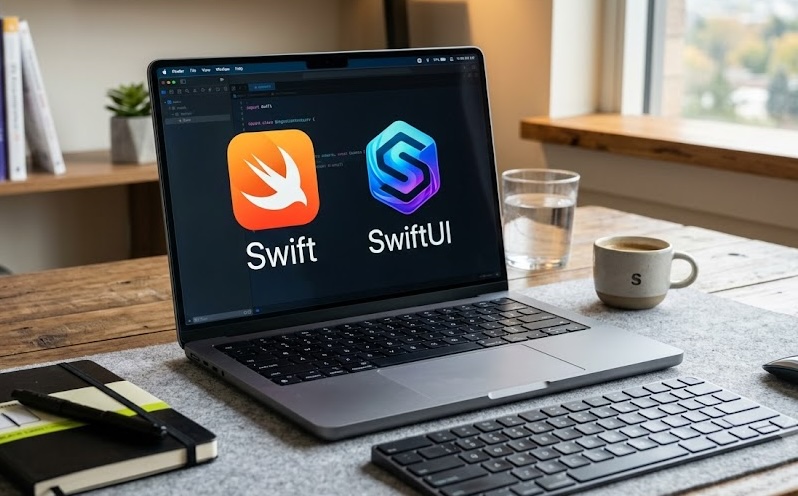
One of the most common misunderstandings when someone starts as an iOS Developer is thinking that these two technologies compete with each other. The reality of the Swift vs SwiftUI debate is not a matter of choosing one or the other, but of understanding what role each piece plays in the development puzzle.
The main difference lies in their nature and purpose. The former is a general-purpose programming language. With it, you define business logic, calculate budgets, encrypt passwords, download information from external servers, and structure local databases. It does not, by itself, have the inherent ability to draw a button on a screen; it simply processes information.
The latter, on the other hand, is a graphical user interface framework written in that same programming language. Its sole mission is visual representation and user interaction. It feeds on the logic and data processed by the underlying language to display wonderful texts, images, animations, and transitions.
While Swift programming requires thinking about algorithms, data structures, and architectural design patterns, visual design requires thinking about user experience, visual hierarchy, spacing, typography, and how the screen reacts to user touches.
Key Concepts Comparison Table
To better illustrate these differences, below we present a comparative table that every iOS Developer should keep in mind when structuring the architecture of their projects:
| Feature | Swift | SwiftUI |
|---|---|---|
| Main Definition | General-purpose programming language. | Graphical user interface (UI) framework. |
| Role in the Application | Business logic, algorithms, data processing, networking. | Visual representation, animations, views, user interaction. |
| Paradigm | Multi-paradigm (Object-oriented, functional, imperative). | Strictly Declarative and reactive. |
| Nature of the Code | Defines how the application works under the hood. | Declares what the application should look like based on its data. |
| Usage Requirement | Indispensable for any application in the Apple ecosystem. | Optional (can be replaced by classic frameworks like UIKit or AppKit). |
| Release Year | 2014. | 2019. |
Mastering Xcode: The Operations Center of the Ecosystem
None of these technologies could shine without a proper workshop, and that workshop is Xcode. This is Apple’s official and exclusive Integrated Development Environment (IDE). It is the giant computer program where developers spend one hundred percent of their workday writing text, designing screens, and hunting down bugs.
The true power of the modern combination of the language and the visual framework is unleashed within Xcode. Thanks to its architecture, this environment offers a feature called “Canvas” or real-time previews. While the iOS Developer writes the interface declarations in their text editor on the left side of the screen, the environment draws and compiles a functional version of the application on the right side almost instantly.
This deep integration eliminates the long and tedious compilation wait times just to check if the color of a text is correct or if the margin of an image is well aligned. Everything happens in real-time, which exponentially accelerates the learning curve and the productivity of the design and development team.
Developing for iOS, macOS, and watchOS
The historical promise of cross-platform development has always been complex. However, the maturity of Swiftprogramming alongside the modern interface framework has made this promise much more tangible.
When you decide to create an application, you are no longer limited to the small screen of a mobile phone. The logical codebase can be largely shared across all the company’s platforms. Your data models, your network logic, and your mathematical calculations are identical regardless of where they run.
As for the visual interface, SwiftUI shines brightly by adapting to the context of the device. If you declare a list of items, the system knows exactly how to draw it:
- On iOS, it will draw it as a scrollable table optimized for the quick touch of a finger, with the characteristic inertia of mobile touch screens.
- On macOS, the same interface declaration will intelligently transform into a list optimized for a mouse and keyboard, fitting perfectly with the traditional desktop window aesthetic.
- On watchOS, that same list will compact, increasing the relative size of the fonts and preparing to be navigated using the watch’s digital crown, ensuring that the information is legible at a quick glance at the wrist.
This adaptability does not mean that you should design a single screen for everything; rather, it means that you have a universal set of tools at your disposal. As a developer, your job will be to orchestrate these tools so that the user experience feels native and familiar on each of the devices, saving countless hours that were previously lost learning completely different frameworks for each operating system.
The Future of the Profession
The transition in the industry is in full swing. While older visual frameworks are still present in applications that have been on the market for years, the indisputable future set by Apple goes through the new declarative technology.
For an iOS Developer taking their first steps today, diving deeply into Swift programming as a logical foundation and mastering the new visual framework is the smartest strategy to ensure a solid, modern, and in-demand career. The synergy between a robust, safe language and an agile, declarative interface, all centralized in Xcode, provides one of the most pleasant and productive development environments in the software industry today.