
Apple’s new visual paradigm explained step by step
With the arrival of iOS 26, Apple has delivered one of the biggest visual leaps since the introduction of SwiftUI. The new material system called Liquid Glass redefines how interfaces behave, reflect light, and react to the content behind them. It is not just a new look: it is a completely new way of thinking about visual layers, depth, and interaction.
In this tutorial you will learn:
- What Liquid Glass is
- How it works in SwiftUI
- How it differs from
.material - How to build real interfaces with it
- Best practices for modern apps
This article is designed for both experienced iOS developers and anyone who wants to master the new iOS 26 APIs.
1. What is Liquid Glass?
Liquid Glass is the new dynamic material system introduced in iOS 26, iPadOS 26, and visionOS 3. It is a direct evolution of materials like .ultraThinMaterial or .regularMaterial, but with far more advanced capabilities.
While older materials were basically blur layers with opacity, Liquid Glass introduces:
- Real refraction
- Background distortion
- Light reflections
- Fluid movement
- A sense of physical depth
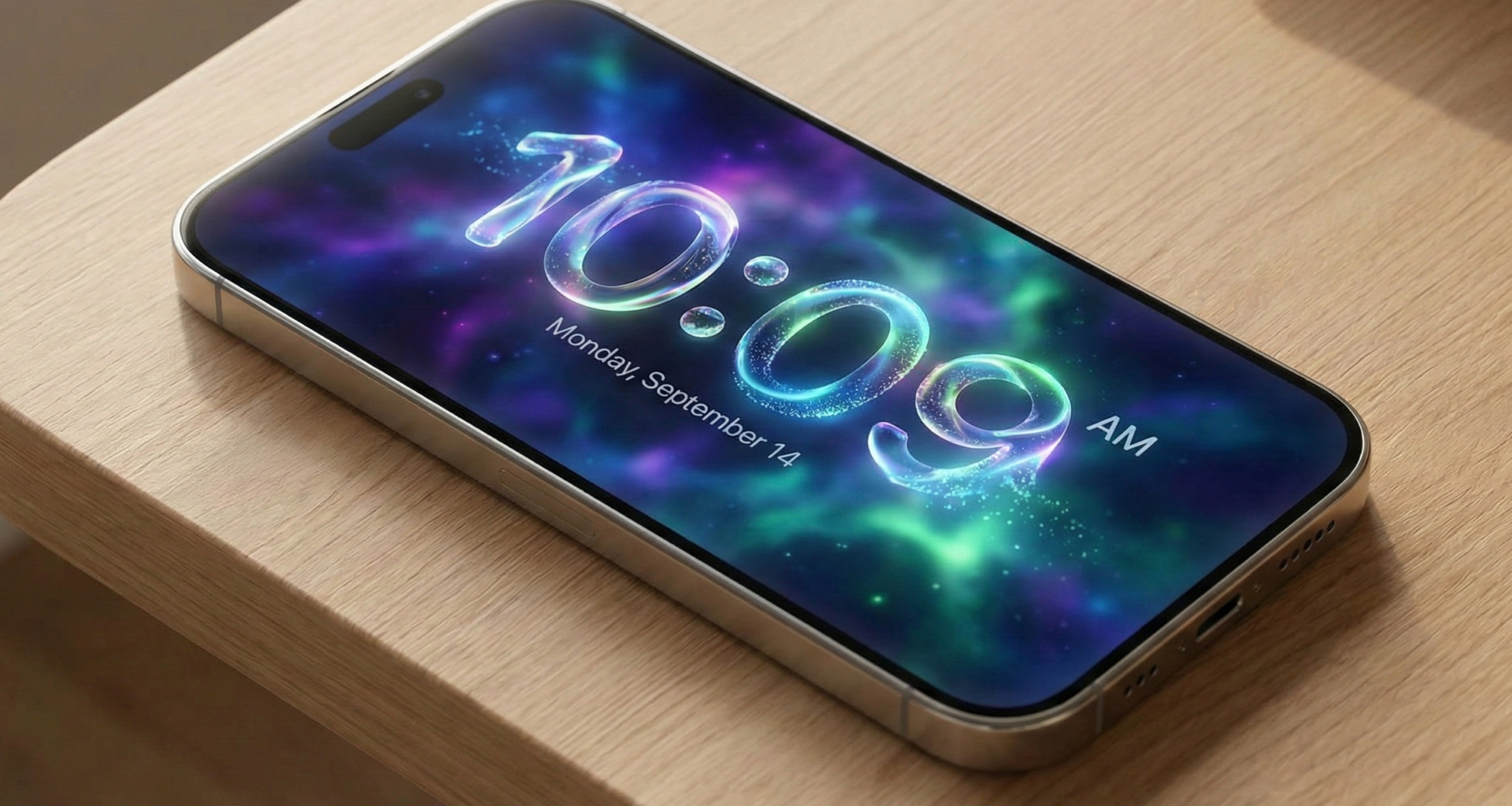
Apple describes Liquid Glass as a material that behaves like transparent liquid, reacting to movement, content, and lighting.
Visually, it is what makes the new iOS 26 interfaces look like liquid crystal, as if every panel is floating above the screen.
2. Why Apple created Liquid Glass
The problem with the previous materials was that they:
- Looked flat
- Did not react to motion
- Did not convey real depth
In modern interfaces (such as Vision Pro, Dynamic Island, interactive widgets), Apple needed a way to represent layers that:
- Look physical
- React to their context
- Remain readable
- Adapt to complex backgrounds
Liquid Glass solves this by combining:
- Dynamic shaders
- Light physics
- Adaptive blur
- Real-time rendering
3. Requirements to use Liquid Glass
To use Liquid Glass you need:
- Xcode 17 or later
- iOS 26 SDK
- SwiftUI
- A real device or simulator running iOS 26
Make sure your project’s deployment target is set to iOS 26.0 or higher.
4. The new LiquidGlass material
Apple introduced a new family of materials:
.liquidGlass
.liquidGlassThin
.liquidGlassThick
.liquidGlassUltra
These replace:
.thinMaterial
.regularMaterial
.ultraThinMaterial
But with real physical behavior.
Basic example:
Rectangle()
    .fill(.liquidGlass)
    .frame(height: 100)
That already creates a liquid glass surface.
5. Creating a floating card with Liquid Glass
Let’s build a modern Apple-style card.
ZStack {
    Image("wallpaper")
        .resizable()
        .scaledToFill()
        .ignoresSafeArea()

    VStack(spacing: 20) {
        Text("Liquid Glass")
            .font(.largeTitle.bold())

        Text("iOS 26")
            .font(.title2)
    }
    .padding(40)
    .background(.liquidGlass)
    .clipShape(RoundedRectangle(cornerRadius: 30))
    .shadow(radius: 30)
}
This creates:
- A liquid glass card
- That refracts the background
- With realistic shadows
- And natural lighting
6. Glass edges
Liquid Glass also supports refractive borders:
.background(.liquidGlass)
.overlay {
    RoundedRectangle(cornerRadius: 30)
        .stroke(.liquidGlassThin, lineWidth: 1)
}
This produces a polished crystal edge like visionOS.
7. Liquid Glass in TabView
One of the most powerful uses is for navigation bars.
TabView {
    Text("Home")
        .tabItem {
            Label("Home", systemImage: "house")
        }
}
.toolbarBackground(.liquidGlass, for: .tabBar)
This creates a floating tab bar that:
- Reflects content
- Adapts to the background
- Changes while scrolling
8. Liquid Glass with ScrollView
Liquid Glass reacts to scrolling.
ScrollView {
    VStack(spacing: 20) {
        ForEach(0..<20) { i in
            Text("Item \(i)")
                .padding()
                .frame(maxWidth: .infinity)
                .background(.liquidGlassThin)
                .clipShape(RoundedRectangle(cornerRadius: 20))
        }
    }
    .padding()
}
While scrolling, each card:
- Changes its refraction
- Shows liquid movement
- Adapts to the content behind it
9. Fluid animations
Liquid Glass reacts to animations.
@State var expanded = false

VStack {
    Spacer()

    RoundedRectangle(cornerRadius: 30)
        .fill(.liquidGlassUltra)
        .frame(height: expanded ? 400 : 100)
        .onTapGesture {
            withAnimation(.spring()) {
                expanded.toggle()
            }
        }
}
Here the glass stretches and deforms like a real fluid.
10. Adaptive blur
Unlike .blur, Liquid Glass is not static. It changes depending on:
- Background contrast
- Motion
- System lighting
- Dark mode
This ensures that text stays readable without losing the background.
11. Accessibility
Liquid Glass is fully accessible:
- It increases opacity when Reduce Transparency is enabled
- It reduces distortion when Reduce Motion is on
- It maintains WCAG contrast
SwiftUI handles this automatically.
12. When to use Liquid Glass
Use it for:
- Navigation bars
- Floating panels
- Cards
- Sheets
- Widgets
- Contextual controls
Avoid it for:
- Main text
- Forms
- Dense tables
- Reading screens
Liquid Glass should be a layer, not the base.
13. .material vs Liquid Glass
| Feature | .material | Liquid Glass |
|---|---|---|
| Blur | Static | Dynamic |
| Refraction | No | Yes |
| Light | No | Yes |
| Motion | No | Yes |
| Depth | Simulated | Physical |
14. Apple-style design
To make your app look like iOS 26:
- Use Liquid Glass for floating layers
- Use rich backgrounds (gradients, images)
- Avoid flat colors
- Use soft shadows
- Stack layers
Liquid Glass needs something behind it to look good.
15. Complete modern UI example
ZStack {
    LinearGradient(colors: [.blue, .purple], startPoint: .top, endPoint: .bottom)
        .ignoresSafeArea()

    VStack {
        Spacer()

        VStack(spacing: 16) {
            Text("Now Playing")
                .font(.title.bold())

            Text("Liquid Dreams")
                .font(.title2)
        }
        .padding()
        .frame(maxWidth: .infinity)
        .background(.liquidGlassUltra)
        .clipShape(RoundedRectangle(cornerRadius: 40))
        .shadow(radius: 40)
    }
    .padding()
}
This UI matches the iOS 26 visual language.
16. Performance
Liquid Glass uses Metal and optimized shaders. On modern iPhones it runs at 120 Hz smoothly.
On older devices SwiftUI automatically:
- Lowers quality
- Reduces refraction
- Simplifies blur
17. Common mistakes
❌ Using Liquid Glass on white backgrounds
❌ Using it in long lists
❌ Using it for small text
❌ Using it for full-screen views
Use Liquid Glass as a layer, not as the foundation.
18. The future of Liquid Glass
Apple has confirmed that Liquid Glass will be the visual foundation of:
- visionOS
- CarPlay
- iPadOS
- macOS 16+
It is the new design standard.
Conclusion
Liquid Glass is not just a visual upgrade: it is a new paradigm for building three-dimensional, dynamic, and context-aware interfaces.
With SwiftUI and iOS 26 you can now build apps that:
- Feel physical
- React to motion
- Float above content
- Look like software from the future
If you are developing for Apple platforms, Liquid Glass is not optional — it is the new visual language.
If you have any questions about this article, please contact me and I will be happy to help you 🙂. You can contact me on my X profile or on my Instagram profile.