


For any iOS Developer starting a new project, one of the most important decisions is choosing the right UI framework. SwiftUI and UIKit can both be used to build powerful native applications, but they approach interface development in very different ways.
So, is SwiftUI actually faster than UIKit? In most modern projects, the answer is yes when we are talking about development speed, code reuse and maintenance. However, UIKit can still be the better choice for specific applications and highly customized interfaces.
Apple positions SwiftUI as a modern framework for creating applications across its platforms, including iOS, macOS and watchOS. It uses a declarative approach and allows developers to share interface code between platforms.
SwiftUI vs UIKit: What Does “Faster” Mean?
Before comparing both frameworks, it is important to distinguish between application performance and development performance.
SwiftUI is not automatically faster than UIKit because an application written with SwiftUI will always run faster. Both frameworks can produce highly responsive native applications.
The major advantage is development speed. SwiftUI allows developers to describe what an interface should look like and how it should respond to state changes, rather than manually managing many aspects of the interface.
UIKit, on the other hand, gives developers a more imperative approach. Developers have traditionally had to create views, configure them and manage their relationships and lifecycle explicitly.
For many common interfaces, SwiftUI therefore requires less code and fewer development steps.
Why SwiftUI Can Be Faster to Develop
One of the biggest advantages of SwiftUI is its declarative programming model. Instead of manually updating individual interface elements, the developer describes the desired interface based on the application’s current state.
This approach can significantly simplify projects containing lists, forms, navigation, buttons, animations and dynamic content.
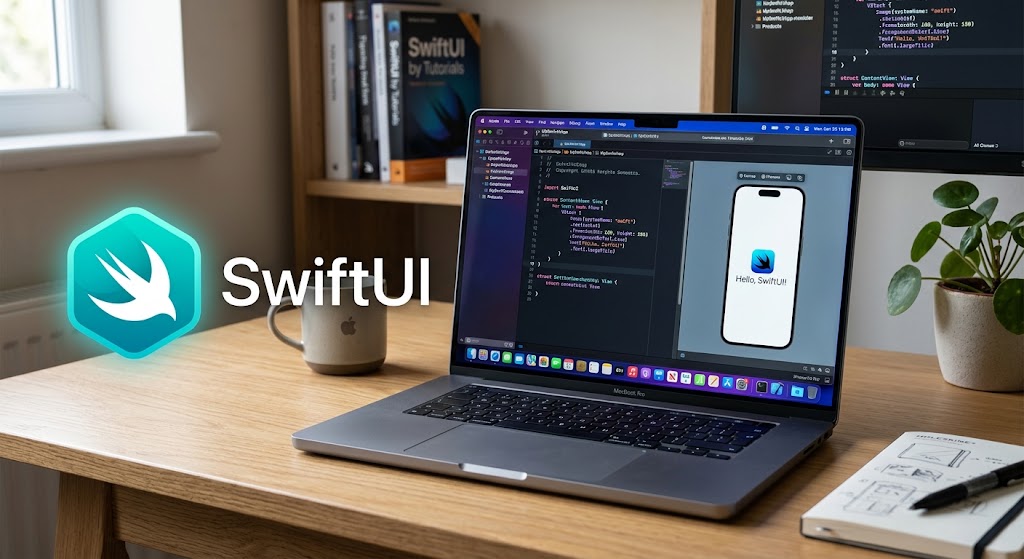
SwiftUI also integrates tightly with Xcode. Previews allow developers to inspect interfaces during development, while the framework provides components designed to work consistently across Apple’s platforms.
For example, if your goal is to create a button with SwiftUI, the framework provides a dedicated Button component that can be styled and combined with other views without requiring the same amount of interface management traditionally associated with UIKit.
SwiftUI and Cross-Platform Development
This is probably the strongest reason to choose SwiftUI.
An iOS Developer working with Swift programming can use SwiftUI to build interfaces that adapt to iPhone, iPad, Mac and Apple Watch. Apple specifically highlights SwiftUI’s ability to share views and controls between platforms.
This can reduce the amount of duplicated UI code in a project.
SwiftUI is particularly attractive when the same application needs versions for iOS and macOS. With the appropriate project architecture, developers can share substantial amounts of code while allowing interfaces to adapt to each platform.
watchOS is an even stronger example. Apple recommends SwiftUI for watchOS development, and its watchOS documentation describes SwiftUI as the framework for creating modern Apple Watch interfaces.
When UIKit Is Still the Better Choice
Despite SwiftUI’s advantages, UIKit remains extremely important.
If you are maintaining a large existing UIKit application, rewriting the entire interface in SwiftUI simply because it is newer may not make financial or technical sense.
UIKit can also be preferable when an application depends heavily on established UIKit components, complex view-controller architectures or functionality that is easier to control directly through UIKit APIs.
For highly customized iOS interfaces, experienced UIKit developers may also find the framework more predictable because of its mature imperative architecture.
The good news is that you do not have to choose only one.
Apple provides integration mechanisms that allow SwiftUI views to be incorporated into UIKit applications and UIKit views to be incorporated into SwiftUI interfaces.
SwiftUI vs UIKit Comparison
| Feature | SwiftUI | UIKit |
|---|---|---|
| Development speed | Excellent for new applications | Very good for established projects |
| Programming model | Declarative | Imperative |
| Code required | Usually less | Usually more |
| iOS support | Excellent | Excellent |
| macOS support | Excellent with SwiftUI/AppKit integration | Requires different frameworks or Mac Catalyst |
| watchOS | Preferred approach | More limited |
| Cross-platform code | Excellent | More complex |
| Xcode previews | Excellent | More limited |
| Existing applications | Excellent for gradual adoption | Excellent |
| Highly customized interfaces | Very good | Excellent |
| Learning curve | Modern but different | Mature and well documented |
| Legacy projects | Not usually the first choice | Ideal |
When Should You Use SwiftUI?
Choose SwiftUI when you are starting a new application and want to maximize development speed.
It is particularly appropriate for:
- New iOS applications
- New macOS applications
- watchOS applications
- Multiplatform projects
- Applications sharing substantial UI between Apple platforms
- Projects requiring rapid interface iteration
- Teams that want a modern Swift programming architecture
SwiftUI is also a strong choice when long-term maintainability is important. Because the interface is closely connected to application state, many common UI updates can be handled automatically.
Apple also provides specific tools for analyzing SwiftUI performance in Xcode and Instruments, allowing developers to identify slow view updates and unnecessary recalculations.
When Should You Use UIKit?
UIKit remains an excellent option when:
- You are maintaining an established UIKit application
- Your team already has extensive UIKit expertise
- Your project depends heavily on UIKit-specific APIs
- You require very detailed control over view controllers
- You are integrating significant amounts of existing UIKit code
- A third-party library requires UIKit
For these situations, replacing UIKit with SwiftUI may introduce unnecessary complexity.
SwiftUI and UIKit Can Work Together
One of the most important things to understand is that this is not an all-or-nothing decision.
A UIKit application can progressively introduce SwiftUI screens, while a SwiftUI application can incorporate UIKit components when necessary. Apple provides dedicated interoperability mechanisms for both directions.
This makes gradual migration a realistic strategy for large applications.
For example, a company could keep its existing UIKit navigation architecture while creating new screens in SwiftUI. Over time, individual components could be modernized without rewriting the entire application.
Does SwiftUI Make Development Faster?
For most new projects, yes.
SwiftUI generally allows developers to create interfaces with less code, reuse components more easily and share UI across Apple’s platforms. Its integration with Xcode and its declarative approach can also make experimentation and iteration considerably faster.
However, this does not mean UIKit is obsolete. UIKit remains a powerful and mature framework, particularly for existing applications and situations requiring extensive control.
The best approach for a modern iOS Developer is therefore not to think of SwiftUI and UIKit as competitors. Instead, understand both and choose the framework according to the project.
For new Swift programming projects targeting iOS, macOS and watchOS, SwiftUI will usually be the best starting point. For established UIKit applications or specialized interfaces, UIKit can still be the more efficient solution.
Ultimately, the fastest framework is the one that allows your team to build, test and maintain the application efficiently. With Swift, SwiftUI and Xcode working together, developers can choose the right combination for each Apple platform rather than being locked into a single UI technology.